Photo Background Tutorials and Specification Guides
Step-by-step guides in English and Hindi for government forms, e-commerce listings, and everyday phone photography.
Drop your photo here or tap Upload Image
Supports JPG, PNG, WebP up to 15 MB · Default Preset: #FFFFFF
Your photo stays on your device.
Select Background Colour Swatch (In-Page State — No URL Reload):
Or Pick a Curated Studio / Festival Backdrop:
Need a fast, dependable way to handle photo background tutorials without installing heavy apps or paying per-image credit fees? Our technical writers and editors publish step-by-step tutorials covering Indian government form dimensions, smartphone camera lighting tricks, and marketplace catalog workflows. Our browser-based workspace gives you studio-grade results in seconds while keeping your personal files private on your own hardware.
Every tutorial is statically rendered for instant mobile reading on 4G/5G connections and links directly to the matching interactive tool in the first paragraph. Because every control runs inside this single clean URL (/blog), you can test multiple shades, aspect ratios, and export formats for background editing guides india, passport photo guides, ecommerce photo guides without page reloads or watermarks.
- Primary Target / Spec
- Government & Visa Forms — G02 Passport Size India, G12 Home Passport Photo
- Default Background & Format
- #FFFFFF · JPG / PNG-24 / WebP (Max 15 MB)
- Data Processing & Watermark
- Client-Side Browser Memory · Free Full-HD Export (No Watermark)
हिंदी में संक्षेप: फोटो एडिटिंग और सरकारी फॉर्म फोटो साइज की आसान गाइड्स
Status: DRAFT · Native Hindi Review Pendingयह C03 हिंदी अनुभाग (फोटो एडिटिंग और सरकारी फॉर्म फोटो साइज की आसान गाइड्स) भारतीय उपयोगकर्ताओं के लिए विशेष रूप से देवनागरी में तैयार किया गया है। फोन या कंप्यूटर पर "photo background tutorials" करते समय यह टूल आपकी फोटो को सीधे ब्राउज़र में सुरक्षित रखता है। पासपोर्ट साइज फोटो के लिए सफेद बैकग्राउंड, पैन कार्ड सिग्नेचर या ई-कॉमर्स लिस्टिंग के लिए फोटो अपलोड करें और तुरंत बिना वाटरमार्क डाउनलोड करें।
आपकी फोटो आपके अपने डिवाइस पर ही सुरक्षित रहती है (Your photo stays on your device).
How to Use Photo Background Tutorials and Specification Guides (Step-by-Step)
01. Select Your Photo for photo background tutorials
Click the blue "Upload Image" button above to load a JPG, PNG, or WebP file from your Android phone, iPhone, or computer. The segmentation engine initializes only after you select a file.
02. Inspect the Automatic Foreground Cutout
Within seconds, our on-device canvas pipeline separates the subject from the original background around hair, spectacles, collars, or product contours.
03. Apply Your Target Background (#FFFFFF)
Use the swatch row to switch between pure white (#FFFFFF), passport blue (#1E40AF), studio red (#DC2626), matte black (#000000), chroma green (#16A34A), gradients, or studio scenes.
04. Download Your Full-Resolution Image
Tap "Download" to save a crisp PNG-24 (for transparent cutouts), high-quality JPEG (for official portals), or WebP file directly to your device.
हिंदी में स्टेप-बाय-स्टेप प्रक्रिया (C03)
Status: DRAFT (Devanagari Steps)चरण 1: फोटो अपलोड करें (C03)
नीले "Upload Image" बटन पर टैप करें और गैलरी से "photo background tutorials" के लिए अपनी फोटो चुनें।
चरण 2: कटआउट और किनारे जांचें
ऑन-डिवाइस इंजन अपने आप मुख्य विषय को पुराने बैकग्राउंड से अलग कर देता है।
चरण 3: सफेद या पारदर्शी बैकग्राउंड चुनें
रंग स्वैच में से सफेद बैकग्राउंड (#FFFFFF), पासपोर्ट ब्लू या पारदर्शी PNG चुनें।
चरण 4: एचडी में डाउनलोड करें
"Download" बटन दबाएं और बिना वाटरमार्क के अपनी तैयार फोटो सेव करें।
Use Cases & Practical Tips for photo background tutorials in India
Practical workflows for photo background tutorials across India demand speed on mid-range mobile connections as well as pixel-level accuracy around hair, garments, and product edges.
Editorial Guide Tracks by User Goal
Curated reading tracks for exam applicants, Android/iPhone users, online marketplace sellers, and remote professionals.
| Track | Key Guides Included | Skill Level | Matching Tool |
|---|---|---|---|
| Government & Visa Forms | G02 Passport Size India, G12 Home Passport Photo | Beginner | /passport-photo-background |
| Smartphone Editing | G05 iPhone Cutout, G06 Android Chrome, S01 Keyboard | Beginner | /change-photo-background |
| E-Commerce & Catalogs | G10 Product Photos, G22 E-Commerce Playbook | Intermediate | /product-photo-background |
| Technical & Video | G18 JPG vs PNG, G19 How AI Works, G21 Video Background | All Levels | /transparent-background |
Before and After Example
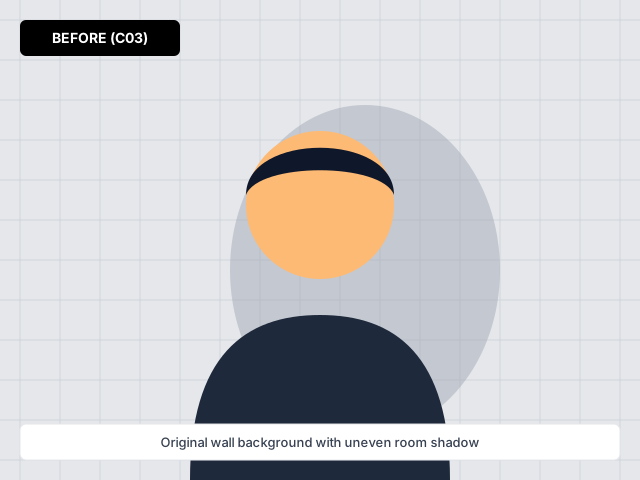
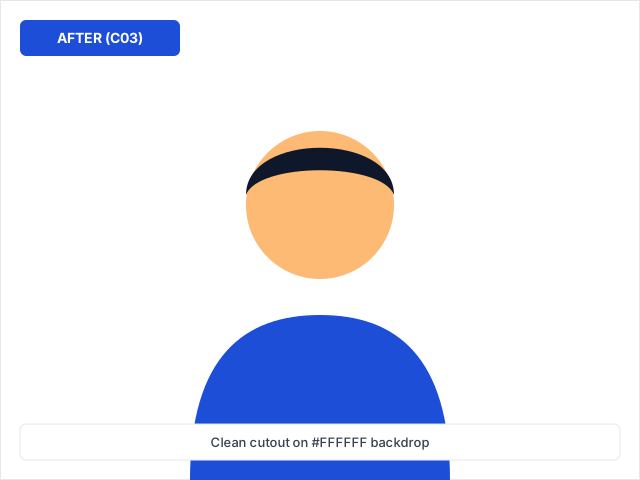
Before and after comparison for photo background tutorials — processed on-device with zero watermark.
Frequently Asked Questions (English)
How does photo background tutorials work on backgroundchange.in without uploading my private photo to a cloud storage bucket?
When you click "Upload Image" on /blog, our lazy-loaded segmentation and canvas compositing engine runs directly inside your browser tab on your Android phone, iPhone, or laptop. Your personal portrait, ID card, or signature stays in local device memory.
What is the best file format (JPG, PNG, or WebP) when exporting from Photo Background Tutorials and Specification Guides?
Choose JPG if you are uploading to an Indian government portal (such as Passport Seva, PAN, SSC, or UPSC) or an e-commerce main listing that requires a solid white (#FFFFFF) background and small KB size. Choose PNG-24 when you need a true transparent background for logos, signatures, or graphic design layers.
Can I use photo background tutorials on a mid-range Android phone with a slow mobile data connection?
Yes. We statically generate all page text and only download the background processing engine after you tap Upload. In-page colour swatches and presets switch instantaneously without reloading the URL or adding query parameters.
Where can I verify the latest official specifications mentioned on /blog?
All technical colour codes, aspect ratios, and format guidelines on /blog are documented in our Guide Learning Tracks on backgroundchange.in table right on this page.
अक्सर पूछे जाने वाले सवाल (हिंदी FAQ — C03)
Status: DRAFT (3 Fresh Hindi FAQs)प्रश्न 1: क्या "photo background tutorials" का उपयोग करते समय मेरी फोटो सुरक्षित रहती है?
हाँ, यह टूल आपके अपने फोन या लैपटॉप के ब्राउज़र में काम करता है और फोटो सर्वर पर सेव नहीं होती।
प्रश्न 2: फोटो एडिटिंग और सरकारी फॉर्म फोटो साइज की आसान गाइड्स के लिए कौन सा फॉर्मेट सबसे अच्छा है?
सरकारी फॉर्म और पासपोर्ट साइज फोटो के लिए सफेद बैकग्राउंड के साथ JPG चुनें, और लोगो या सिग्नेचर के लिए पारदर्शी PNG डाउनलोड करें।
प्रश्न 3: घर पर साफ फोटो कैसे खींचें?
खिड़की की रोशनी की ओर चेहरा रखें और पीछे की दीवार से तीन फीट की दूरी बनाए रखें।
Explore All Pages in This Section
Master clean photo background replacement on your phone or laptop in under a minute — no graphic design skills needed.
Everything you need to check before uploading your photo to Passport Seva, OCI portals, or VFS visa centres.
Eliminate yellowish tube-light tints and wall shadows to get a true RGB(255, 255, 255) white background.
Step-by-step instructions for Canva Pro’s BG Remover and the 10-second free transparent PNG workflow for free Canva accounts.
Compare iOS long-press subject lift, Shortcuts, and instant Safari browser background replacement on any iPhone.
Fast, low-data methods to remove and replace photo backgrounds on Samsung, Xiaomi, Realme, Vivo, and Pixel phones.
An honest look at download resolution limits, privacy policies, and Indian document presets across popular online tools.
From Quick Actions and Select & Mask hair refinement in Photoshop to instant one-click cutouts in your browser.
How to pick the right blur radius for headshots, full-body portraits, and tabletop product photos.
A practical home-studio and editing workflow for sarees, electronics, cosmetics, handicrafts, and footwear.
When to install a dedicated mobile app and when a zero-storage browser tool gives cleaner, watermark-free exports.
Save a studio trip — shoot in natural window light, switch the background to pure white, and download a 4x6 print sheet.
Set up blur or upload a clean professional office backdrop in the Google Meet app before your next interview or class.
Configure Zoom Virtual Backgrounds on desktop and mobile and download properly sized 16:9 office backdrops.
From warm terracotta arches and pastel gradients to clean editorial studio backdrops that fit Indian fashion and creator feeds.
Match your outfit, industry, and skin tone with calibrated navy, slate grey, warm off-white, and emerald backdrops.
Simple distance, camera-height, and window-lighting rules that make any home wall portrait look studio-lit.
Why JPEG never supports transparency, how PNG-24 alpha channels work, and when Indian government portals require JPG instead.
A plain-English technical breakdown of semantic segmentation, edge trimaps, and why browser-based processing protects your privacy.
Step-by-step instructions to remove solid or cluttered backgrounds and export halo-free transparent PNGs.
Practical shooting, shutter-speed, and frame-matting tips for clean video background replacement.
How to standardize 100+ SKUs across Amazon India, Flipkart, Meesho, and your own D2C store without studio bottlenecks.
Exact Gboard and iOS theme steps — plus an instant tool to darken or clean up your photo so keyboard letters stay readable.
Related Background Tools & Guides
Master clean photo background replacement on your phone or laptop in under a minute — no graphic design skills needed.
Everything you need to check before uploading your photo to Passport Seva, OCI portals, or VFS visa centres.
Eliminate yellowish tube-light tints and wall shadows to get a true RGB(255, 255, 255) white background.
Fast, low-data methods to remove and replace photo backgrounds on Samsung, Xiaomi, Realme, Vivo, and Pixel phones.
A practical home-studio and editing workflow for sarees, electronics, cosmetics, handicrafts, and footwear.
Exact Gboard and iOS theme steps — plus an instant tool to darken or clean up your photo so keyboard letters stay readable.