Professional Resume Photo Background Changer
Turn a casual phone portrait into a recruiter-ready headshot with subtle studio grey, off-white, or corporate blue backdrops.
Drop your photo here or tap Upload Image
Supports JPG, PNG, WebP up to 15 MB · Default Preset: #F8FAFC
Your photo stays on your device.
Select Background Colour Swatch (In-Page State — No URL Reload):
Or Pick a Curated Studio / Festival Backdrop:
Need a fast, dependable way to handle resume photo background without installing heavy apps or paying per-image credit fees? Whether you are an engineering fresher sitting for campus placements or an experienced manager updating your Naukri and LinkedIn resume, a messy bedroom background behind your CV photo lowers perceived professionalism. Our browser-based workspace gives you studio-grade results in seconds while keeping your personal files private on your own hardware.
Our resume mode offers soft studio off-white (`#F8FAFC`), slate grey, and corporate navy swatches with a balanced 1:1 or 35:45 portrait crop. Because every control runs inside this single clean URL (/resume-photo-background), you can test multiple shades, aspect ratios, and export formats for cv photo background changer, professional background for resume photo, fresher resume photo editor without page reloads or watermarks.
- Primary Target / Spec
- Banking, Finance & Consulting — Soft Studio Off-White (#F8FAFC) or Sky Blue
- Default Background & Format
- #F8FAFC · JPG / PNG-24 / WebP (Max 15 MB)
- Data Processing & Watermark
- Client-Side Browser Memory · Free Full-HD Export (No Watermark)
हिंदी में संक्षेप: रिज्यूमे (CV) और जॉब फॉर्म के लिए प्रोफेशनल फोटो बैकग्राउंड
Status: DRAFT · Native Hindi Review Pendingयह U06 हिंदी अनुभाग (रिज्यूमे (CV) और जॉब फॉर्म के लिए प्रोफेशनल फोटो बैकग्राउंड) भारतीय उपयोगकर्ताओं के लिए विशेष रूप से देवनागरी में तैयार किया गया है। फोन या कंप्यूटर पर "resume photo background" करते समय यह टूल आपकी फोटो को सीधे ब्राउज़र में सुरक्षित रखता है। पासपोर्ट साइज फोटो के लिए सफेद बैकग्राउंड, पैन कार्ड सिग्नेचर या ई-कॉमर्स लिस्टिंग के लिए फोटो अपलोड करें और तुरंत बिना वाटरमार्क डाउनलोड करें।
आपकी फोटो आपके अपने डिवाइस पर ही सुरक्षित रहती है (Your photo stays on your device).
How to Use Professional Resume Photo Background Changer (Step-by-Step)
01. Select Your Photo for resume photo background
Click the blue "Upload Image" button above to load a JPG, PNG, or WebP file from your Android phone, iPhone, or computer. The segmentation engine initializes only after you select a file.
02. Inspect the Automatic Foreground Cutout
Within seconds, our on-device canvas pipeline separates the subject from the original background around hair, spectacles, collars, or product contours.
03. Apply Your Target Background (#F8FAFC)
Use the swatch row to switch between pure white (#FFFFFF), passport blue (#1E40AF), studio red (#DC2626), matte black (#000000), chroma green (#16A34A), gradients, or studio scenes.
04. Download Your Full-Resolution Image
Tap "Download" to save a crisp PNG-24 (for transparent cutouts), high-quality JPEG (for official portals), or WebP file directly to your device.
हिंदी में स्टेप-बाय-स्टेप प्रक्रिया (U06)
Status: DRAFT (Devanagari Steps)चरण 1: फोटो अपलोड करें (U06)
नीले "Upload Image" बटन पर टैप करें और गैलरी से "resume photo background" के लिए अपनी फोटो चुनें।
चरण 2: कटआउट और किनारे जांचें
ऑन-डिवाइस इंजन अपने आप मुख्य विषय को पुराने बैकग्राउंड से अलग कर देता है।
चरण 3: सफेद या पारदर्शी बैकग्राउंड चुनें
रंग स्वैच में से सफेद बैकग्राउंड (#FFFFFF), पासपोर्ट ब्लू या पारदर्शी PNG चुनें।
चरण 4: एचडी में डाउनलोड करें
"Download" बटन दबाएं और बिना वाटरमार्क के अपनी तैयार फोटो सेव करें।
Use Cases & Practical Tips for resume photo background in India
When preparing images for resume photo background, small technical details determine whether your photo is approved on the first try or flagged for re-upload. Stand about three feet away from a plain wall facing natural window light, avoid wearing clothing that matches your target background colour, and verify every dimension in our Resume Photo Background Recommendations by Sector in India table below before submitting your form or catalog.
Indian Industry Resume Photo Colour Etiquette Guide
Recommended background colours and attire pairings for IT, banking, hospitality, and government job applications.
| Industry / Role | Best Background Colour | Recommended Attire | Why Recruiters Prefer It |
|---|---|---|---|
| Banking, Finance & Consulting | Soft Studio Off-White (#F8FAFC) or Sky Blue | Formal blazer or collared shirt | Clean, conservative, high contrast on PDF prints |
| IT, Software & Startups | Subtle Slate Grey or Soft Gradient | Smart casual shirt or kurta/blazer | Modern digital look on screen & LinkedIn (/linkedin-photo-background) |
| Aviation, Hospitality & Retail | Pure White (#FFFFFF) or Royal Blue (#1E40AF) | Groomed formal uniform/suit | Matches standard HR grooming checklists |
Before and After Example
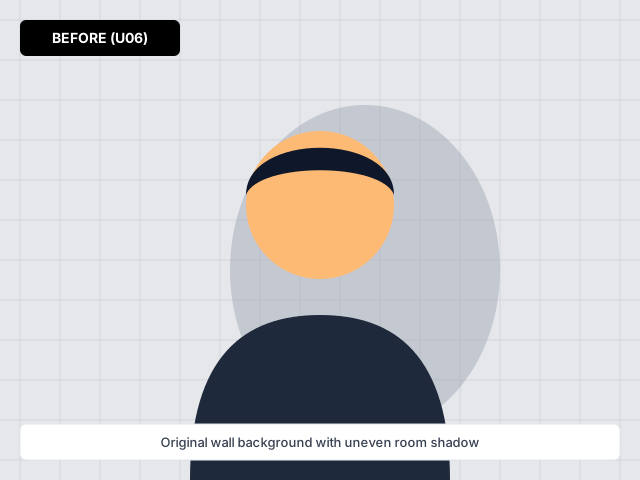
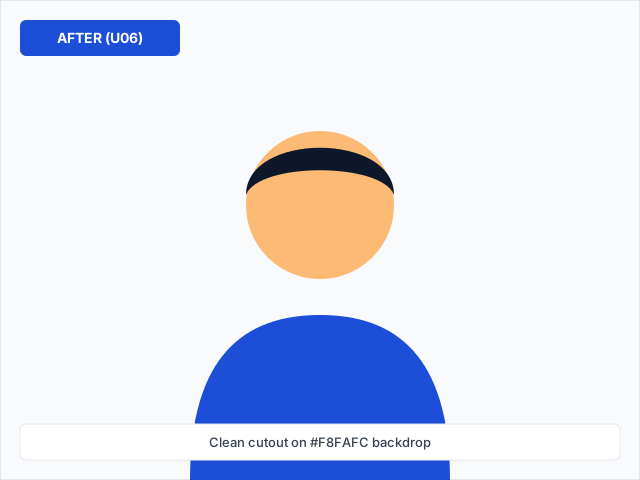
Before and after comparison for resume photo background — processed on-device with zero watermark.
Frequently Asked Questions (English)
How does resume photo background work on backgroundchange.in without uploading my private photo to a cloud storage bucket?
When you click "Upload Image" on /resume-photo-background, our lazy-loaded segmentation and canvas compositing engine runs directly inside your browser tab on your Android phone, iPhone, or laptop. Your personal portrait, ID card, or signature stays in local device memory.
What is the best file format (JPG, PNG, or WebP) when exporting from Professional Resume Photo Background Changer?
Choose JPG if you are uploading to an Indian government portal (such as Passport Seva, PAN, SSC, or UPSC) or an e-commerce main listing that requires a solid white (#FFFFFF) background and small KB size. Choose PNG-24 when you need a true transparent background for logos, signatures, or graphic design layers.
Can I use resume photo background on a mid-range Android phone with a slow mobile data connection?
Yes. We statically generate all page text and only download the background processing engine after you tap Upload. In-page colour swatches and presets switch instantaneously without reloading the URL or adding query parameters.
Where can I verify the latest official specifications mentioned on /resume-photo-background?
All technical colour codes, aspect ratios, and format guidelines on /resume-photo-background are documented in our Resume Photo Background Recommendations by Sector in India table right on this page.
अक्सर पूछे जाने वाले सवाल (हिंदी FAQ — U06)
Status: DRAFT (3 Fresh Hindi FAQs)प्रश्न 1: क्या "resume photo background" का उपयोग करते समय मेरी फोटो सुरक्षित रहती है?
हाँ, यह टूल आपके अपने फोन या लैपटॉप के ब्राउज़र में काम करता है और फोटो सर्वर पर सेव नहीं होती।
प्रश्न 2: रिज्यूमे (CV) और जॉब फॉर्म के लिए प्रोफेशनल फोटो बैकग्राउंड के लिए कौन सा फॉर्मेट सबसे अच्छा है?
सरकारी फॉर्म और पासपोर्ट साइज फोटो के लिए सफेद बैकग्राउंड के साथ JPG चुनें, और लोगो या सिग्नेचर के लिए पारदर्शी PNG डाउनलोड करें।
प्रश्न 3: घर पर साफ फोटो कैसे खींचें?
खिड़की की रोशनी की ओर चेहरा रखें और पीछे की दीवार से तीन फीट की दूरी बनाए रखें।
Related Background Tools & Guides
Upload any portrait, ID photo, or product shot and switch the background to white, blue, red, or a studio scene in one tap.
Frame a 1:1 square LinkedIn headshot with modern studio neutrals, subtle gradients, or blurred office backdrops.
Use modern glass workspaces, warm study bookshelves, and minimalist boardrooms for headshots or virtual meetings.
Keep your face or product pin-sharp while softening distracting room or street backgrounds with an adjustable blur slider.
Match your outfit, industry, and skin tone with calibrated navy, slate grey, warm off-white, and emerald backdrops.