Nature Photo Backgrounds with Soft Bokeh Depth
Swap indoor walls for sunlit gardens, Himalayan mountain views, and golden-hour coastlines with natural depth blur.
Drop your photo here or tap Upload Image
Supports JPG, PNG, WebP up to 15 MB · Default Preset: #16A34A
Your photo stays on your device.
Select Background Colour Swatch (In-Page State — No URL Reload):
Or Pick a Curated Studio / Festival Backdrop:
Need a fast, dependable way to handle nature photo backgrounds without installing heavy apps or paying per-image credit fees? Sometimes an indoor room photo has great facial expression, but you wish it had been taken outdoors in a green garden, misty hill station, or golden-hour park. Our browser-based workspace gives you studio-grade results in seconds while keeping your personal files private on your own hardware.
All nature backdrops in `/backgrounds/nature` are pre-rendered with realistic optical bokeh (`f/2.0` equivalent depth blur) so your sharp foreground portrait looks naturally separated from the distant trees. Because every control runs inside this single clean URL (/backgrounds/nature), you can test multiple shades, aspect ratios, and export formats for outdoor garden background for photo, mountain sunset photo backdrop, green park portrait background without page reloads or watermarks.
- Primary Target / Spec
- Morning Botanical Garden — Fresh daylight green (5500K)
- Default Background & Format
- #16A34A · JPG / PNG-24 / WebP (Max 15 MB)
- Data Processing & Watermark
- Client-Side Browser Memory · Free Full-HD Export (No Watermark)
हिंदी में संक्षेप: प्राकृतिक (Nature, Garden और Sunset) फोटो बैकग्राउंड कलेक्शन
Status: DRAFT · Native Hindi Review Pendingयह L05 हिंदी अनुभाग (प्राकृतिक (Nature, Garden और Sunset) फोटो बैकग्राउंड कलेक्शन) भारतीय उपयोगकर्ताओं के लिए विशेष रूप से देवनागरी में तैयार किया गया है। फोन या कंप्यूटर पर "nature photo backgrounds" करते समय यह टूल आपकी फोटो को सीधे ब्राउज़र में सुरक्षित रखता है। पासपोर्ट साइज फोटो के लिए सफेद बैकग्राउंड, पैन कार्ड सिग्नेचर या ई-कॉमर्स लिस्टिंग के लिए फोटो अपलोड करें और तुरंत बिना वाटरमार्क डाउनलोड करें।
आपकी फोटो आपके अपने डिवाइस पर ही सुरक्षित रहती है (Your photo stays on your device).
How to Use Nature Photo Backgrounds with Soft Bokeh Depth (Step-by-Step)
01. Select Your Photo for nature photo backgrounds
Click the blue "Upload Image" button above to load a JPG, PNG, or WebP file from your Android phone, iPhone, or computer. The segmentation engine initializes only after you select a file.
02. Inspect the Automatic Foreground Cutout
Within seconds, our on-device canvas pipeline separates the subject from the original background around hair, spectacles, collars, or product contours.
03. Apply Your Target Background (#16A34A)
Use the swatch row to switch between pure white (#FFFFFF), passport blue (#1E40AF), studio red (#DC2626), matte black (#000000), chroma green (#16A34A), gradients, or studio scenes.
04. Download Your Full-Resolution Image
Tap "Download" to save a crisp PNG-24 (for transparent cutouts), high-quality JPEG (for official portals), or WebP file directly to your device.
हिंदी में स्टेप-बाय-स्टेप प्रक्रिया (L05)
Status: DRAFT (Devanagari Steps)चरण 1: फोटो अपलोड करें (L05)
नीले "Upload Image" बटन पर टैप करें और गैलरी से "nature photo backgrounds" के लिए अपनी फोटो चुनें।
चरण 2: कटआउट और किनारे जांचें
ऑन-डिवाइस इंजन अपने आप मुख्य विषय को पुराने बैकग्राउंड से अलग कर देता है।
चरण 3: सफेद या पारदर्शी बैकग्राउंड चुनें
रंग स्वैच में से सफेद बैकग्राउंड (#FFFFFF), पासपोर्ट ब्लू या पारदर्शी PNG चुनें।
चरण 4: एचडी में डाउनलोड करें
"Download" बटन दबाएं और बिना वाटरमार्क के अपनी तैयार फोटो सेव करें।
Use Cases & Practical Tips for nature photo backgrounds in India
Practical workflows for nature photo backgrounds across India demand speed on mid-range mobile connections as well as pixel-level accuracy around hair, garments, and product edges.
Outdoor Nature Backdrops & Natural Lighting Pairing Guide
Match your portrait’s lighting to the right time of day in our nature collection.
| Nature Scene | Colour Temperature | Best Original Photo Lighting | Ideal Use Case |
|---|---|---|---|
| Morning Botanical Garden | Fresh daylight green (5500K) | Bright window or balcony shade | WhatsApp DP, casual portraits (/whatsapp-dp-background) |
| Golden Hour Sunset Coast | Warm amber & gold (3800K) | Evening sun or warm indoor lamp | Instagram 4:5 portraits (/instagram-photo-background) |
| Misty Himalayan Pine Hills | Cool airy slate & teal (6200K) | Overcast daylight or diffused LED | Travel-style profile pictures |
Before and After Example
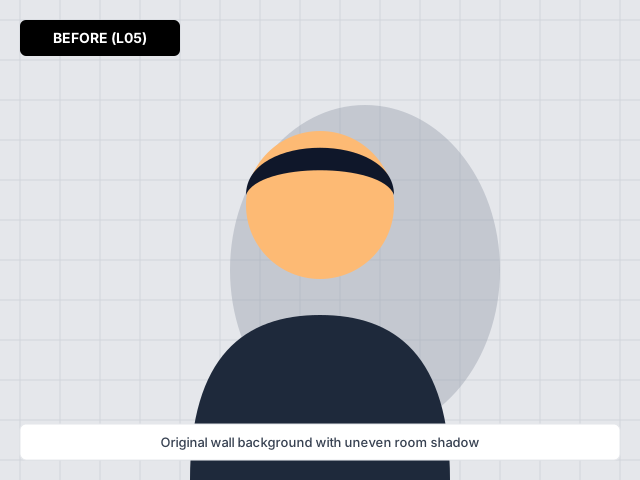
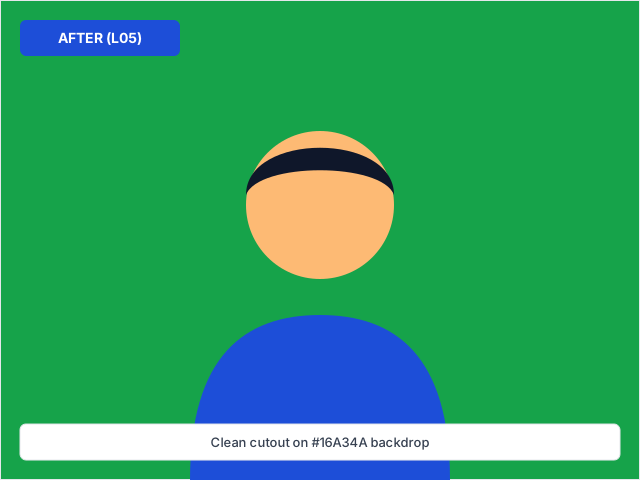
Before and after comparison for nature photo backgrounds — processed on-device with zero watermark.
Frequently Asked Questions (English)
How does nature photo backgrounds work on backgroundchange.in without uploading my private photo to a cloud storage bucket?
When you click "Upload Image" on /backgrounds/nature, our lazy-loaded segmentation and canvas compositing engine runs directly inside your browser tab on your Android phone, iPhone, or laptop. Your personal portrait, ID card, or signature stays in local device memory.
What is the best file format (JPG, PNG, or WebP) when exporting from Nature Photo Backgrounds with Soft Bokeh Depth?
Choose JPG if you are uploading to an Indian government portal (such as Passport Seva, PAN, SSC, or UPSC) or an e-commerce main listing that requires a solid white (#FFFFFF) background and small KB size. Choose PNG-24 when you need a true transparent background for logos, signatures, or graphic design layers.
Can I use nature photo backgrounds on a mid-range Android phone with a slow mobile data connection?
Yes. We statically generate all page text and only download the background processing engine after you tap Upload. In-page colour swatches and presets switch instantaneously without reloading the URL or adding query parameters.
Where can I verify the latest official specifications mentioned on /backgrounds/nature?
All technical colour codes, aspect ratios, and format guidelines on /backgrounds/nature are documented in our Nature Background Templates & Lighting Match Tips table right on this page.
अक्सर पूछे जाने वाले सवाल (हिंदी FAQ — L05)
Status: DRAFT (3 Fresh Hindi FAQs)प्रश्न 1: क्या "nature photo backgrounds" का उपयोग करते समय मेरी फोटो सुरक्षित रहती है?
हाँ, यह टूल आपके अपने फोन या लैपटॉप के ब्राउज़र में काम करता है और फोटो सर्वर पर सेव नहीं होती।
प्रश्न 2: प्राकृतिक (Nature, Garden और Sunset) फोटो बैकग्राउंड कलेक्शन के लिए कौन सा फॉर्मेट सबसे अच्छा है?
सरकारी फॉर्म और पासपोर्ट साइज फोटो के लिए सफेद बैकग्राउंड के साथ JPG चुनें, और लोगो या सिग्नेचर के लिए पारदर्शी PNG डाउनलोड करें।
प्रश्न 3: घर पर साफ फोटो कैसे खींचें?
खिड़की की रोशनी की ओर चेहरा रखें और पीछे की दीवार से तीन फीट की दूरी बनाए रखें।
Related Background Tools & Guides
Select any CC0/original backdrop below and apply it behind your photo in one click — no separate download needed.
Place any custom wallpaper, studio backdrop, or solid colour cleanly behind your subject with automatic edge blending.
Keep your face or product pin-sharp while softening distracting room or street backgrounds with an adjustable blur slider.
Format 1:1 and 4:5 Instagram portraits with vibrant studio colours, gradients, and aesthetic Indian backdrops.
Center your portrait inside WhatsApp’s circular DP crop and switch the background to vibrant colours or festive themes.
From warm terracotta arches and pastel gradients to clean editorial studio backdrops that fit Indian fashion and creator feeds.